
Collection pages and filters
A collection banner, Shopify’s native filters and a product grid that updates in place.
Collection banner
Toggle the collection image, description, product count and breadcrumb. Layout, height, content position and text protection keep the title readable on the image.
Filters and sorting
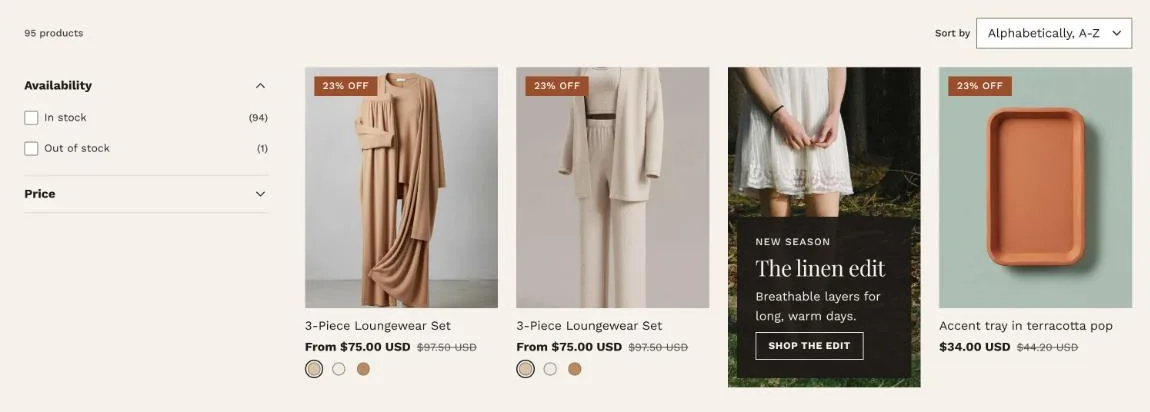
Turn on Use filtering and Use sorting in the Product grid section, then choose which filters to show in Shopify’s free Search & Discovery app. Filter layout can be Sidebar, Horizontal or Drawer; on mobile filters always open in a drawer. Colour filters show as swatches.
Grid
Columns on desktop (2 to 5) and mobile (1 or 2), products per page, and page numbers or a Load more button. Filters, sorting and paging update the grid without a reload, and the URL updates so a filtered view can be shared.
Promo tiles
Add a Promo tile block to place a banner in the grid, with image, text, button, a position in the grid and single or double width.