
Getting started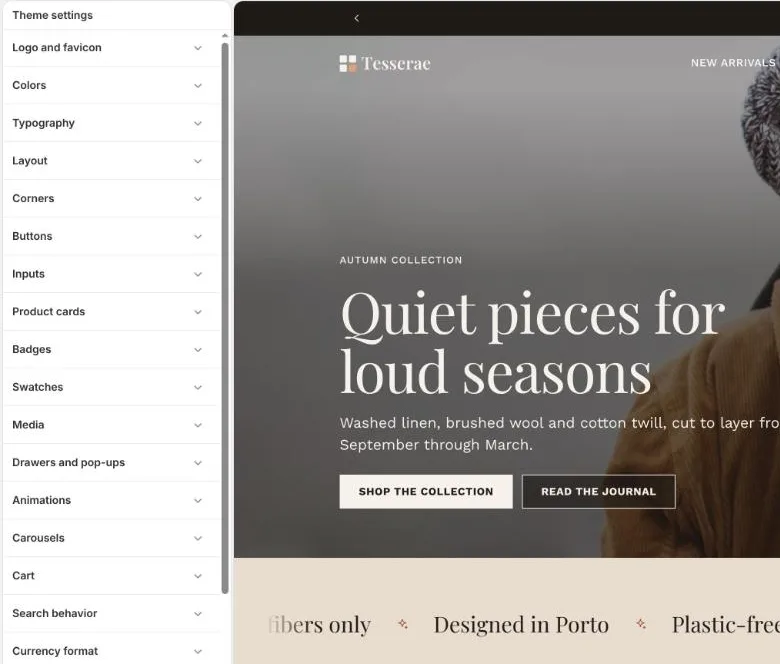
Theme settings overview
Theme settings (the gear icon in the editor sidebar) affect the whole store; section and block settings affect one page.
The setting groups
- Logo and favicon
- Logo image, its width on desktop and mobile, and the favicon. Upload a transparent PNG or SVG.
- Colors
- The 11-colour palette plus page and shadow colours. See Colour palette.
- Typography
- Heading, body and accent fonts, text and heading size, heading size ratio, case, letter spacing and button font.
- Layout
- Page width, page margin, section spacing (Compact, Comfortable, Airy), grid gap and optional section numbers.
- Corners
- One corner style for the whole theme (Sharp, Soft, Rounded, Pill), or custom radii for buttons, inputs, cards, media and badges.
- Buttons
- Border thickness, shadow, text case, hover effect (None, Fill sweep, Lift), primary and secondary colours.
- Inputs
- Border thickness, style (Outlined, Filled, Underline) and colours.
- Product cards
- Card style, image ratio and fit, text alignment, second image on hover, vendor, rating, colour swatches and quick add.
- Badges
- Position, sale badge style (Percentage off, Amount off, Text), sold out badge and colours.
- Swatches
- Shape (Circle, Square, Rounded square) and size, on cards, product pages and filters.
- Media
- Product media border and shadow, how media are grouped by variant, and quick view media.
- Drawers and pop-ups
- Overlay opacity, drawer width and drawer colours.
- Animations
- Reveal on scroll level, reveal style, image reveal and image zoom on hover.
- Carousels
- Default carousel navigation and arrow position.
- Cart
- Cart type, order note, free shipping threshold and discount code field.
- Search behavior
- Search suggestions, and whether they show price, vendor, articles and pages.
- Social media
- Links for Facebook, Instagram, TikTok, X, Pinterest, YouTube, Snapchat, Threads, Tumblr, Vimeo and LinkedIn.