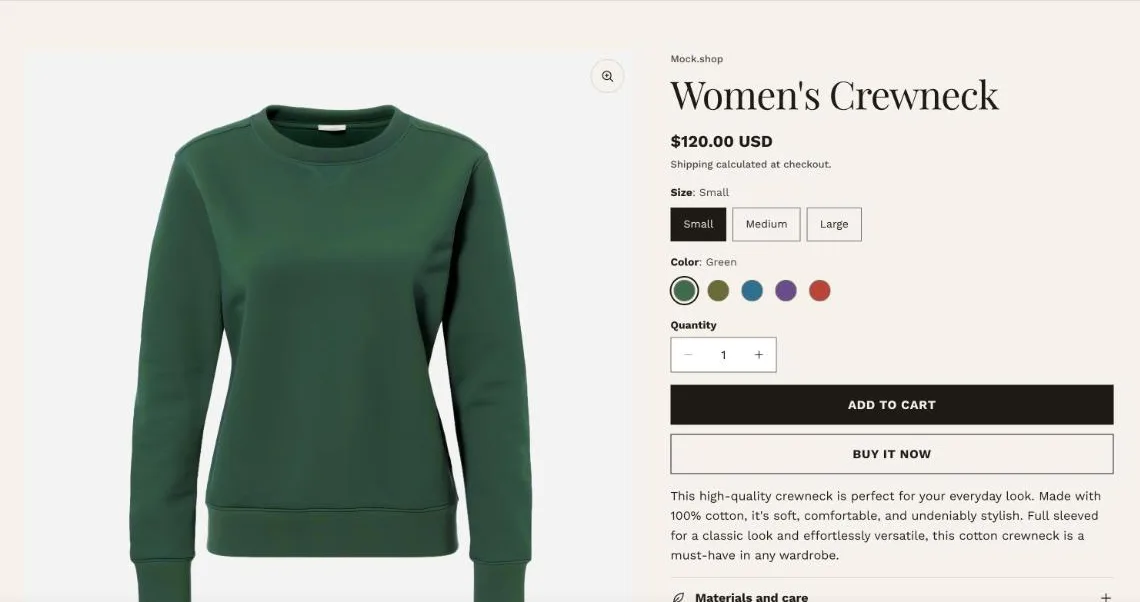
The Product information section plus optional sections below it, with four gallery layouts.
Gallery settings
Media layout
Thumbnails below, Thumbnails beside, Stacked, or Single sticky (one large image pinned while details scroll).
Media width
Narrow, Medium or Wide share of the row on desktop.
Media shape and fit
Adapt to the media or use a fixed shape; Fill and crop, or Show whole media.
Image zoom
Open in a lightbox with a zoomable image, or None.
Mobile media layout
Carousel or Stacked.
Thumbnails below, with button and swatch variant pickers.
Sticky elements
Use sticky product information keeps the details column in view while a long gallery scrolls. Show sticky add to cart bar shows a slim bar with the price and Add to cart once the buy buttons scroll out of view.
Different layouts per product
Use Shopify’s template assignment to give some products a different product template.