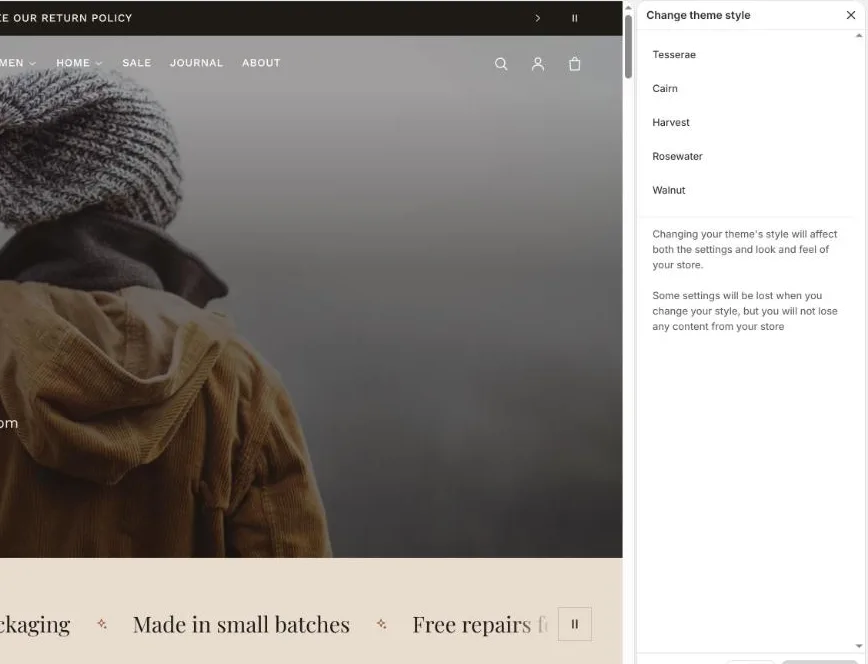
Each preset is a complete starting design: colours, fonts, corners, spacing and the home page layout.
The five presets
Tesserae
Warm neutrals, serif headings, airy spacing. Fashion, home and lifestyle.
Cairn
High contrast and bold type on a dark ground. Sportswear, outdoor and tech.
Harvest
Cream, tomato, mustard and forest with pill corners. Food, pantry and farm goods.
Rosewater
Soft blush, plum and sage. Beauty, skincare and wellness.
Walnut
Stone, moss and charcoal with an extra-wide layout. Furniture, lighting and decor.
Switching presets
In the theme editor open Theme settings, then Theme style at the bottom of the list. Pick a preset and click Change style. This replaces colours, fonts and the home page sections; your products, collections and pages are untouched. Re-picking a preset is also the way to reset to its original design.
Theme settings → Theme style lists the five presets.
Mixing and matching
Start from the preset closest to your brand, then change fonts and colours in Theme settings. Every preset uses the same sections, so any section can be added, removed or reordered on any template.