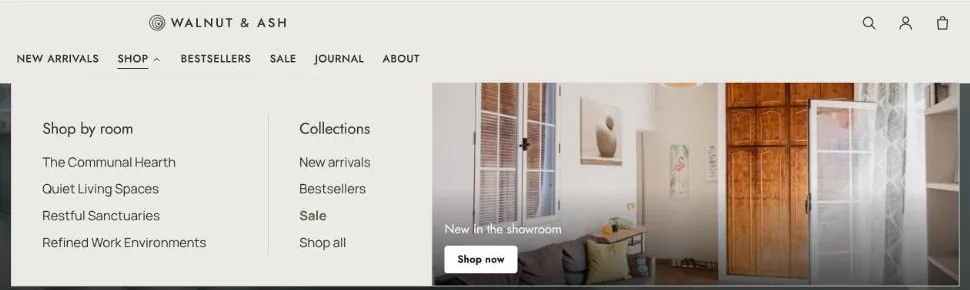
Five mega menu layouts built from your Shopify navigation, with promotions and a highlighted link.
Add a mega menu
Add a Mega menu block to the header and type the heading of a top-level menu item that has child links in Menu item. The heading must match the menu item exactly.
Layouts
Link columns
Two menu levels. Child links in columns.
Image columns
Child links that point to collections. Each collection’s image above its links.
Tabbed
Three menu levels. Second-level items as tabs, the third level inside.
Featured products
A product collection. Its products beside the links.
Sub-menu columns
Three menu levels. Second-level headings with third-level links under each.
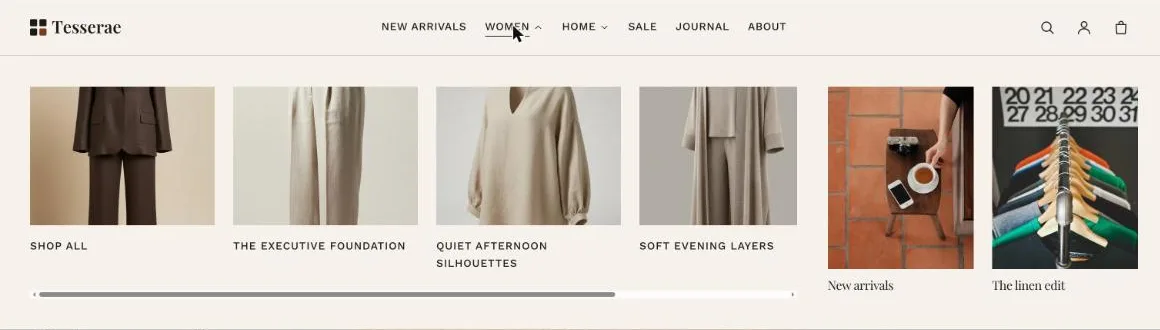
Image columns
Image columns with two promotions (Tesserae).
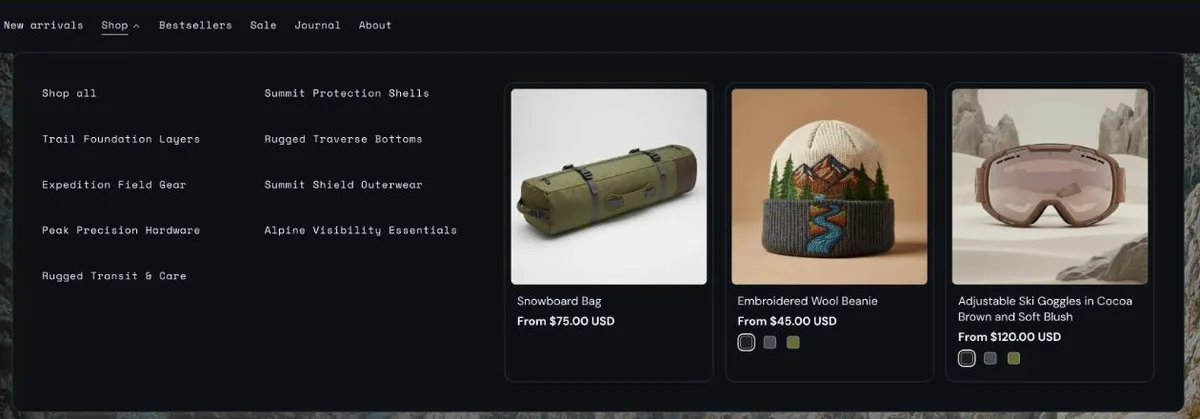
Featured products
Featured products (Cairn).
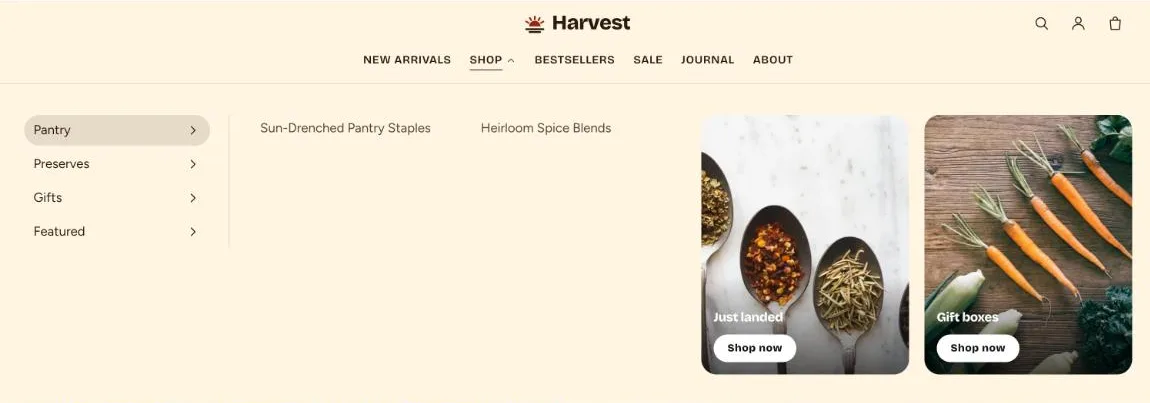
Tabbed
Tabbed, with promotion text overlays (Harvest).
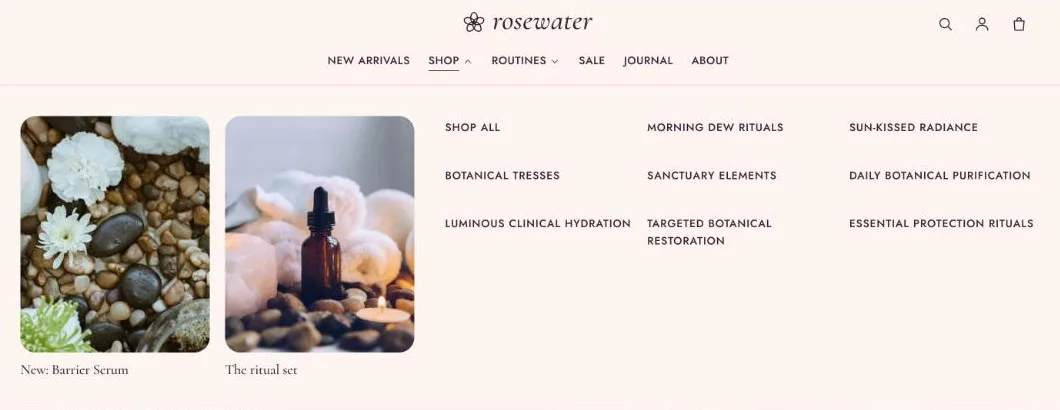
Link columns
Link columns with promotions placed first (Rosewater).
Sub-menu columns
Sub-menu columns at content width, with a highlighted link (Walnut).
Promotions and highlights
Each mega menu can carry up to three promotions (image, heading, link and optional button label), a Highlighted link shown in the accent colour such as Sale, and a Panel width of Full width or Content width.